
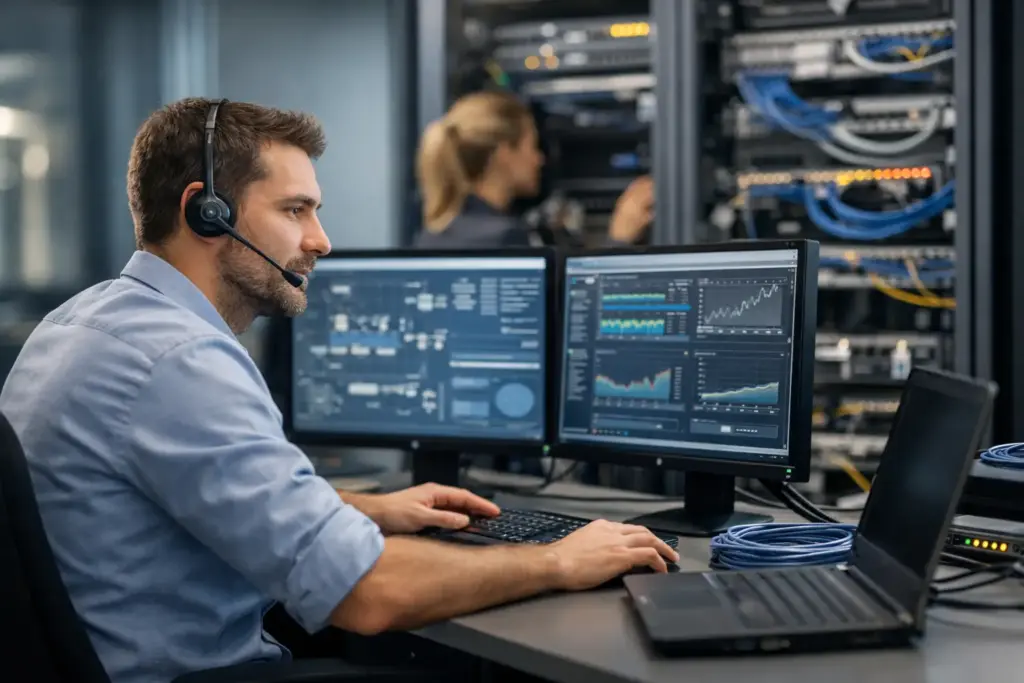
A stuttering video call, files that are unexpectedly inaccessible, or a point-of-sale system without a connection: network problems immediately cost time and trust. Yet, for many companies, the network only becomes visible when it isn't working. What exactly does a network administrator do? They ensure that your organization's digital foundation remains secure, fast, and available, so that employees can simply keep working.
For an SME, this goes beyond connecting a router or changing a Wi-Fi password. A network administrator maintains an overview of devices, connections, access, and security. They also prevent problems where possible, rather than only intervening when the malfunction has already had an impact.
What does a network administrator do on a daily basis?
A network administrator manages the infrastructure that connects your employees, systems, and locations. This includes switches, firewalls, Wi-Fi access points, internet connections, cabling, and access to cloud applications. Printers, telephones, cameras, and other smart devices are also often part of that network.
Daily operations vary by organization. In a small office, the focus is often on stable Wi-Fi, secure access to files, and a reliable connection for calling and meetings. At a company with multiple locations or home offices, the network becomes more complex. In that case, you need to manage, among other things, which systems are accessible from which location and how to keep traffic between locations secure.
A good administrator therefore works on two levels. He solves practical issues, such as a workstation that cannot connect. At the same time, he monitors the technology behind the scenes: capacity, error messages, updates, security settings, and anomalous network traffic.
Resolving malfunctions, but above all preventing them
In the event of an outage, a network administrator investigates the source of the problem. Is it the internet connection, a defective device, an incorrect setting, a Wi-Fi access point, or an external service? By specifically identifying the root cause, you prevent time from being wasted on temporary solutions that do not resolve the real problem.
Preventive management is at least as valuable. Through monitoring, an administrator can see, for example, that a connection drops regularly, that a firewall is nearing its maximum capacity, or that a device is sending an unusually high amount of traffic. This allows you to take action before employees or customers are affected.
Prevention does require an appropriate setup. Not every sole proprietorship needs the same monitoring or hardware as an organization with fifty workstations and multiple buildings. The goal is not to deploy as much technology as possible, but to cover the risks that are truly relevant to your business operations.
Organizing your network security
A network is an important gateway to business data. Therefore, a network administrator configures security at multiple layers. The firewall monitors incoming and outgoing traffic, Wi-Fi is well secured, and devices are granted access only to the systems they need.
Separating networks is also part of this. Visitors to the office, for example, must be able to use the internet without being able to access internal systems. The same often applies to devices such as cameras, smart thermostats, or a guest network. By keeping these components separate, an incident on one part of the network is less likely to become a company-wide problem.
Security is never a one-time setting. Equipment and software receive updates, employees change roles, and new services are added. Therefore, an administrator regularly checks whether permissions are still correct, settings remain secure, and systems are updated in a timely manner.
Network management is also about speed and accessibility
A fast internet connection alone is no guarantee of a good network. If Wi-Fi access points are positioned unfavorably, too many devices are connecting to a single point, or the internal cabling acts as a bottleneck, you will notice this in slow applications and interrupted calls. A network administrator looks at the bigger picture.
For Wi-Fi, this often starts with an inventory of the premises and its usage. An office with meeting rooms, a warehouse, and a workspace has different requirements than a retail store or healthcare facility. Thick walls, metal shelving, and many simultaneous users can affect the range. The right solution may consist of additional access points, a different placement, or a separate network for business telephony and guests.
Business connectivity also deserves attention. When your organization relies on online accounting, Microsoft 365, telephony, or cloud software, the internet connection is business-critical. In that case, a fixed connection can be a sensible choice. This entails additional costs but reduces the risk of a complete shutdown during an outage. Which option is right depends on the cost of downtime for your company.
Access for the office, home, and on the go
Employees do not always work from the same location. A network administrator ensures that they can securely access the correct systems without unnecessarily exposing your entire environment to the internet. This requires clear access rules, strong authentication, and a secure connection for external access.
Here lies an important difference between convenience and security. Settings that are too strict can frustrate work, while overly broad permissions pose a risk. An experienced administrator seeks a practical balance. Someone from administration, for example, does not need access to technical management systems, but must be able to work securely from home without any hassle.
What other responsibilities does a network administrator have?
Network management is not separate from the rest of your IT. It touches upon workstation management, server management, cloud services, VoIP, and security. Therefore, a network administrator documents the setup: what equipment do you use, what connections are available, where are important settings located, and who has access? This documentation is crucial for changes, failures, and growth.
In addition, the administrator advises on replacement and expansion. Equipment does not last indefinitely. A firewall that was sufficient years ago may struggle with more remote workers, heavier cloud applications, or new security requirements. By planning ahead, you avoid having to opt for a hasty solution only when an outage occurs.
Supplier management can also be part of the role. If there is a problem with an internet provider, telephone connection, or external application, you do not want to have to figure out who is responsible yourself by searching among different parties. A management partner can gather the technical information, engage the right party, and monitor progress.
When is external network management a logical choice?
An in-house employee can often handle simple network questions perfectly well. However, as the environment grows, availability becomes more important, or security requires specific knowledge, external network management is often more efficient. You then gain access to up-to-date expertise without hiring a specialist full-time.
That does not mean you should relinquish all control. On the contrary, a good external party makes agreements regarding availability, priorities, changes, and reporting. You need to know what is being managed, how incidents are handled, and which risks require attention. Transparency prevents surprises.
For organizations that combine various IT services, a single technical point of contact offers additional benefits. Cloudformatie, for example, can integrate network management with workstations, business telephony, Wi-Fi, and cloud solutions. As a result, changes are implemented in a less fragmented manner, and it becomes clearer more quickly where a problem needs to be investigated.
What should you pay attention to when setting up network management?
Don't start with the question of what equipment to buy, but with how your organization works. How many employees are there? Which systems can never fail? Do people work in the office, at home, or at multiple locations? Are there guests, devices, or departments that need to remain separate? And what does it cost if you are without a connection for a few hours?
With those answers, you can set priorities. A small practice might primarily need reliable Wi-Fi coverage, secure access, and quick support in the event of issues. Additionally, a growing office could benefit from network segmentation, central monitoring, and a backup connection. It is wise to factor in room for growth without paying for capacity you won't use in the coming years.
Also ask how management is performed. Is proactive monitoring carried out? Are updates and configurations documented? Is support available when an outage affects your business process? The quality of network management lies not only in the technology, but also in the speed and clarity with which you are helped.
A well-managed network requires little attention from your employees, and that is exactly the intention. When your digital foundation works quietly in the background, there is room to keep your focus on customers, colleagues, and the next step of your business.